



Complete Your Training Work
Follow this process for every session of CREO, ANSYS and HyperWorks.
Learn CREO, ANSYS and HyperWorks, complete a structured 90-day Training+Internship+Placement Program, Get Stipend of INR 30,000/- and direct job in ELEATION as CAE project Engineer
Total 60 Seats
A complete video guide will explain registration, Internship Start Date, payment, digital Offer acceptance, training access, Task 1, Task 2, certificates, documents and the career pathway.
ELEATION provides professional CAD, CAE and engineering simulation services along with technical training, industrial internship and engineering skill development.
Our engineering services help industries, product-development teams and engineering organizations study how components and products behave under different operating conditions before physical manufacturing and testing.
Using Computer Aided Engineering, engineers can study structural behaviour, temperature, fluid flow, vibration, durability and product performance through engineering simulation.
At ELEATION, CAD and CAE are connected with real engineering analysis and technical problem-solving.
Through TIP, you are not only learning how to operate CREO, ANSYS and HyperWorks. You are also developing an understanding of how these engineering tools are used for modelling, meshing, simulation, result interpretation and engineering decision-making.
Computer Aided Engineering combines engineering fundamentals, numerical simulation and engineering software to study the behaviour and performance of products, components and systems.
Every core engineering branch develops knowledge related to products, structures, materials, forces, temperature, fluid flow, machines, electrical systems or engineering design.
CAE allows engineers to apply these fundamentals through computer-based modelling, simulation, analysis and engineering interpretation.
Students from eligible core branches can learn CAE software, develop practical simulation skills and prepare for engineering roles in the CAE domain.
Training, internship, software guidance, student support and the career pathway are connected through one structured program.
Lifetime access to self-learning video based training program.
Details theory PDF's to understand each concept in detail
Classwork and Homework models as per industry standard
3 Industrial Internship projects.
Download and installation guidance for all three programs.
Students can email ELEATION for technical and program queries.
Training certificates and internship documents remain available to TIP students.
Choose when you want to begin. The system then guides you through payment, Internship Offer acceptance and training activation.
Create an ELEATION account or login using your existing account.
Complete TIP registration and choose your Internship Start Date.
Complete the payment process.
Your Internship Offer Letter is generated after successful payment.
Review your Internship Offer and complete digital acceptance.
Course access activates one day before your Internship Start Date.
Follow the training, practise the engineering work and complete the internship projects during your 90-day Training+Internship+Placement program.
Follow this process for every session of CREO, ANSYS and HyperWorks.
Apply your learning to the Industrial internship projects available through ELEATION.
Complete the required practical work during your scheduled 90-day internship to complete the TIP stipend and Direct Job pathway.
TIP students can access their training certificates and internship documents independently of Task 1 and Task 2.
The role combines engineering fundamentals, CAD/CAE tools, numerical simulation, problem-solving and technical reporting.
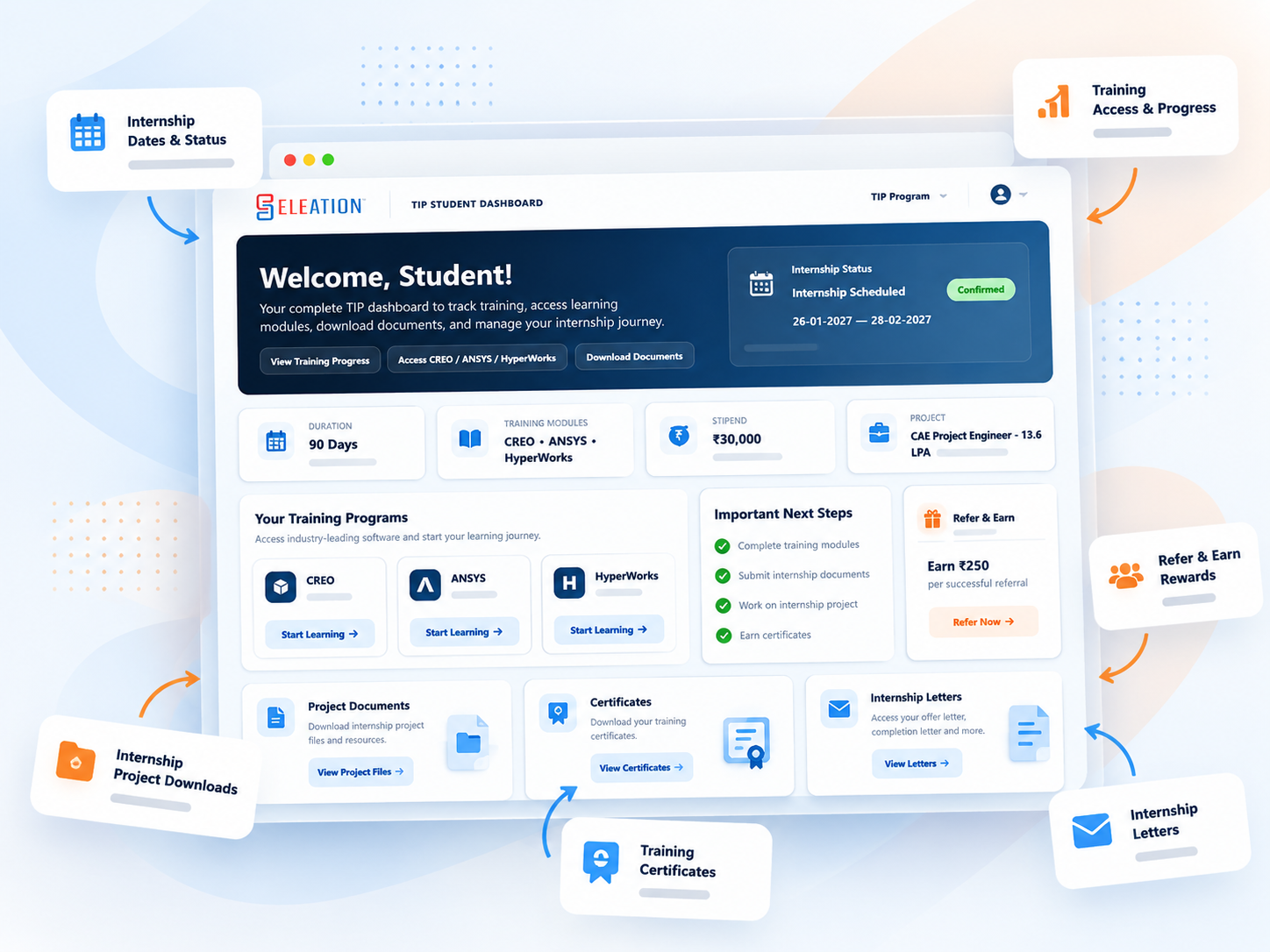
After you digitally accept your Internship Offer, your TIP Dashboard becomes the main place to manage your program.
Training, internship and the placement are included in the TIP Program Fee.
Students receive clear instructions for software, training, project work and program-related queries.
ELEATION provides the required download and installation guidance for CREO, ANSYS and HyperWorks.
Classwork and homework PDFs are submitted to training@eleation.net .
For program-related queries, students can contact query@eleation.com .
Yes. You can start with the training videos, follow the demonstrated steps and build your practical skills progressively through regular practice.
No. TIP is available for the eligible core engineering branches listed above, including Mechanical, Civil, Production, Automobile, Electrical, Electronics, Mechatronics, Industrial, Manufacturing, Aeronautical, Aerospace, Marine and other related core engineering branches.
Yes. You choose your Internship Start Date during TIP registration from the dates available in the registration calendar. Your selected Start Date becomes Day 1 of your 90-day internship.
The earliest selectable Internship Start Date is the fourth calendar day counting your registration date as Day 1. For example, if you register on 1 October, the earliest selectable Start Date is 4 October.
Yes. The Start Date can be changed until two days before the scheduled Internship Start Date. After a Start Date change, a revised Internship Offer is generated and must be digitally accepted again.
After successful payment and digital acceptance of your current Internship Offer, course access is scheduled to activate one day before your Internship Start Date.
Completing Task 1 and Task 2 within your scheduled 90-day internship completes the TIP pathway for the ₹30,000 internship stipend and Direct Job in ELEATION as CAE Project Engineer with CTC ₹9.6 LPA, without an additional Interview or Tool Test.
Yes. TIP students can access the CREO, ANSYS and HyperWorks Training Certificates, Internship Completion Letter, Letter of Recommendation and Experience Letter through the applicable ELEATION pages. These documents are separate from Task 1 and Task 2.
TIP follows a fixed 90-day internship schedule. Students should plan their training and internship work within their selected 90-day period. The internship timeline is not extended.
No additional training, internship or placement fee is charged under TIP. The TIP Program Fee is ₹2,500, the Platform Fee is ₹99, and the total online payment is ₹2,599.
TIP students can use their ELEATION Student ID as their referral code. When an eligible referred student successfully joins and completes the TIP payment, the referral becomes eligible for a ₹250 reward. Referral and payment information will be available in the TIP Dashboard.
Create your account, complete TIP registration, choose your Internship Start Date and begin your Training + Internship + Placement journey.